 15 Days Money-back Guarantee
 Smile Safe & Secure online payment
 Dedicated Support
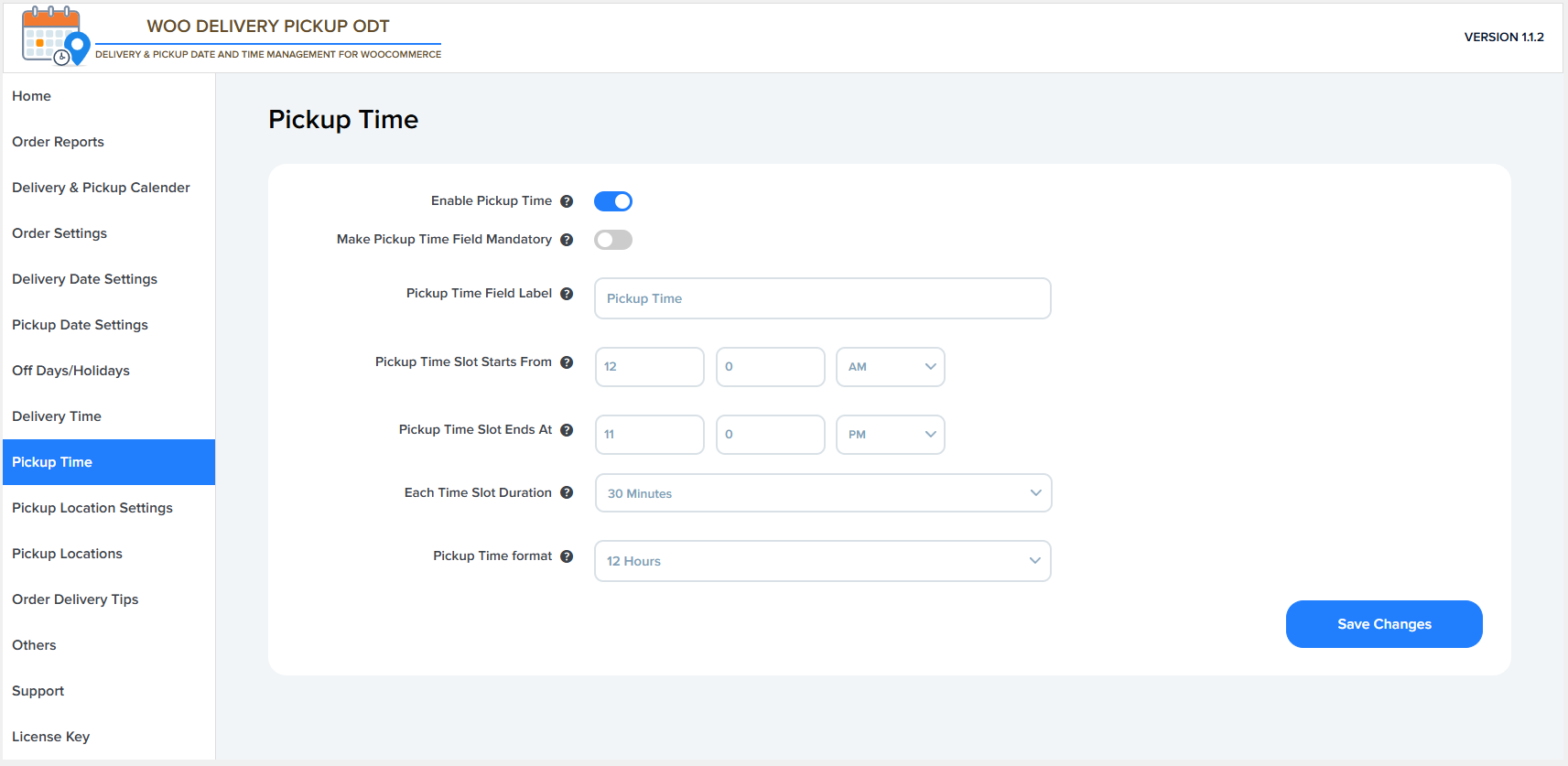
Enable Pickup Time
This option enables or disables the pickup time selection on the checkout page.
- ON – Customers can select a pickup time slot.
- OFF – The pickup time field is hidden from checkout.
Make Pickup Time Field Mandatory
This setting makes selecting a pickup time required during checkout.
- ON – Customers must choose a pickup time to place an order.
- OFF – Pickup time selection is optional.
Pickup Time Field Label
This allows you to customize the label shown for the pickup time field on the checkout page.
Example: Pickup Time, Collection Time.
Pickup Time Slot Starts From
Defines the starting time for available pickup time slots.
Example: 05:05 AM means pickup time slots start from 5:05 AM.
Pickup Time Slot Ends At
Defines the ending time for available pickup time slots.
Example: 11:59 PM means the last pickup slot ends at 11:59 PM.
Each Time Slot Duration
Sets the length of each pickup time slot.
Example:
- 15 minutes
- 30 minutes
- 60 minutes
Time slots are automatically generated based on this duration.
Pickup Time Format
Controls how pickup time is displayed on the checkout page.
- 12 Hours (e.g. 10:30 AM)
- 24 Hours (e.g. 22:30)
Save Changes
Click this button to save all pickup time settings and apply them to the checkout page.