 15 Days Money-back Guarantee
 Smile Safe & Secure online payment
 Dedicated Support
Online shoppers no longer just want fast delivery — they want control over when their order arrives. If your WooCommerce store still relies on generic “3-5 business days” messaging, you’re leaving customers guessing and your support inbox full of “where is my order” emails. This is exactly the gap a WordPress Delivery Date Plugin is built to close. Head back to the Home page anytime to explore how WP Dev Studio helps store owners fix this problem with clean, reliable tools.
Why a WordPress Delivery Date Plugin Matters for Your Store
Every store owner has faced the same headache: a customer places an order, expects same-day pickup, but the warehouse team wasn’t ready, or a delivery driver shows up when nobody’s home. These small mismatches add up to refund requests, one-star reviews, and wasted staff hours. A dedicated WordPress Delivery Date Plugin removes the guesswork entirely by letting shoppers choose their preferred delivery or pickup date and time slot right at checkout — and letting store owners manage the backend without spreadsheets or sticky notes. If you’re comparing tools for your shop, browse the full lineup on the Plugins page to see what fits your workflow.
Key Features of a Reliable WordPress Delivery Date Plugin
Not every delivery scheduling tool is built the same. Here’s what a genuinely useful WordPress Delivery Date Plugin should offer:
- Orders are sorted by delivery or pickup date and time in Delivery Reports, so your team always knows what’s due next.
- Orders are filtered by delivery or pickup date and time in Delivery Reports, making it easy to isolate a specific day, shift, or driver route.
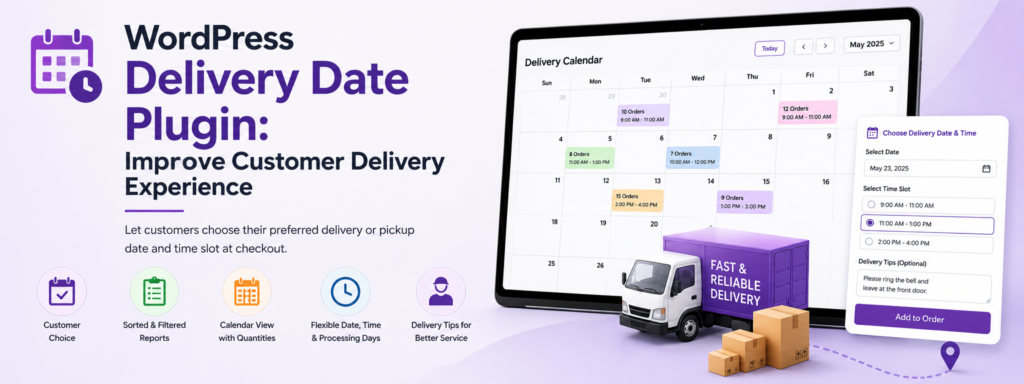
- View product quantities and delivery/pickup details directly in a calendar view, giving you a single glance at daily order volume.
- Supports multiple date and time formats, with an option to display the weekday name, so customers instantly recognize their chosen slot.
- An option to add delivery tips for delivery personnel, helping drivers navigate tricky addresses or special instructions.
- Weekday-wise processing days based on the selected method, so Monday pickups and Friday deliveries can follow completely different rules.
How a WordPress Delivery Date Plugin Improves the Customer Experience
Beyond the backend efficiency, the real win is what customers feel when they check out. A well-configured WordPress Delivery Date Plugin changes the entire tone of the shopping experience:
- Shoppers see real, accurate delivery windows instead of vague shipping estimates.
- They can plan their day around a pickup or delivery slot that actually works for them.
- Confusion about “when will this arrive” disappears, cutting down repetitive support tickets.
- Confusion about “when will this arrive” disappears, cutting down repetitive support tickets.
- Repeat purchases increase because customers trust the store to deliver on its promise — literally.
Smart Reporting With a WordPress Delivery Date Plugin
One of the most underrated benefits of a WordPress Delivery Date Plugin is what happens after checkout. Delivery Reports give store owners a sorted, filterable view of every scheduled order, broken down by date and time. Instead of digging through the standard WooCommerce orders table, your fulfillment team can pull up exactly what needs to go out today, tomorrow, or next week. This kind of operational clarity is especially valuable for stores running perishable goods, local delivery routes, or appointment-based pickups. For a deeper look at how plugins like this fit into a broader WooCommerce toolkit, check out this related read on the WooCommerce plugin blog.

Calendar View: Visualize Every Delivery and Pickup
Numbers on a report are useful, but a calendar tells the real story at a glance. With the calendar view built into this WordPress Delivery Date Plugin, you can see product quantities alongside delivery and pickup details for any given day. This makes it far easier to spot overbooked slots before they become a problem, plan staffing around busy days, and give your warehouse or kitchen team a realistic picture of what’s coming. It’s the difference between reacting to chaos and actually preparing for it.
Flexible Date, Time, and Processing Day Options
Every business runs on a different schedule, and a rigid delivery system just creates friction. This is where a flexible WordPress Delivery Date Plugin earns its place. Multiple date and time formats mean you can match your store’s regional or brand style, and displaying the weekday name removes any ambiguity for customers scanning their confirmation email. On the operations side, weekday-wise processing days let you set different rules for different days — maybe orders placed on weekends need an extra processing day, while weekday orders ship the same day. And with the option to add delivery tips for delivery personnel, drivers get the context they need (gate codes, building entrances, or handling notes) without a phone call back to the customer.
WordPress Delivery Date Plugin vs. Other Options
If you’ve searched around, you’ve probably come across free tools like Order Delivery Date for WooCommerce, which cover the basics of letting customers pick a date. These are a fine starting point for very simple stores. But once you need sorted and filtered Delivery Reports, a calendar view with quantities, weekday-wise processing rules, or delivery tips for your team, a purpose-built WordPress Delivery Date Plugin designed for growing WooCommerce stores becomes the more practical long-term choice.
Getting Started With WP Dev Studio’s Delivery Date Plugin
Setting things up doesn’t need to be complicated. Full setup instructions, configuration options, and troubleshooting steps are available in the Documentations section, so you can get your store’s delivery scheduling running correctly the first time. And if you ever get stuck, the Support team is on hand to help you configure formats, processing days, or reporting filters to match your exact business needs.
Final Thoughts
A WordPress Delivery Date Plugin isn’t just a checkout convenience — it’s an operational upgrade for your entire fulfillment process. From sorted and filtered Delivery Reports to a clear calendar view, flexible date formats, and weekday-based processing rules, it gives both your team and your customers the clarity they’ve been missing. For more tips on getting the most out of your WooCommerce store, keep exploring the Blog for fresh guides and plugin walkthroughs.
Q. What is a WordPress Delivery Date Plugin?
It’s a WooCommerce add-on that lets customers pick a specific delivery or pickup date and time slot at checkout, instead of seeing a vague “3-5 business days” estimate. It also gives store owners backend tools to manage and report on those scheduled orders.
Q. How is this different from the free "Order Delivery Date for WooCommerce" plugin?
Free tools typically only let customers pick a date. A dedicated plugin like this adds sorted and filterable Delivery Reports, a calendar view with quantities, weekday-wise processing rules, and delivery tips for drivers — features growing stores need once order volume increases.
Q. Can I set different rules for different days of the week?
Yes. Weekday-wise processing days let you configure separate rules per method — for example, giving weekend orders an extra processing day while weekday orders ship the same day.
Q. Does the plugin support different date and time formats?
Yes. You can display dates and times in multiple formats and choose to show the weekday name, so customers immediately recognize which day they’ve selected.
Q. How do I know what orders are due each day?
Delivery Reports let you sort and filter orders by delivery or pickup date and time, so your team can quickly pull up what’s due today, tomorrow, or for a specific driver route — without digging through the standard WooCommerce orders table.
Want to see it running on a live store? Explore the plugin here or check the documentation to get started.
