 15 Days Money-back Guarantee
 Smile Safe & Secure online payment
 Dedicated Support
Every online store starts with the same promise: “We’ll get it to you.” But when does “it” arrive, and who decides? A WooCommerce Delivery Time Scheduler hands that decision to the customer at checkout, and it quietly removes a lot of the guesswork, missed deliveries, and “where’s my order?” emails. The real question is whether a free plugin can do the job or whether you need to pay. Browse the full range of Plugins and you’ll notice the choice isn’t always obvious.

Why a WooCommerce Delivery Time Scheduler Matters More Than You Think
Most store owners treat scheduling as a nice extra. The numbers on the ground say otherwise. Customers who can pick a slot are home to receive the parcel, which means fewer failed deliveries and fewer re-shipping costs. For food, flowers, and gifts, the date can matter more than the product itself.
Here’s a useful way to think about it, which I call the “Friday problem.” Picture a bakery that takes orders all week. Without a scheduler, every Friday brings a flood of “can you deliver Saturday morning?” messages. With a WooCommerce Delivery Time Scheduler, that conversation happens automatically at checkout, and your Friday stays calm.
What a Free WooCommerce Delivery Time Scheduler Usually Offers
Free plugins are a good starting point, and many do the basics well. You can usually expect a date picker at checkout and a simple time slot field. Some also save the choice to the order so you can see it later. A good example is the free Delivery & Pickup Date plugin on WordPress.org, which lets you test a scheduler on a live store without spending anything.
For a new shop with a handful of orders a week, that can be plenty. The risk isn’t that free plugins are bad. It’s that your store outgrows them quietly, and you only notice when something goes wrong.
Where a Free WooCommerce Delivery Time Scheduler Starts to Struggle
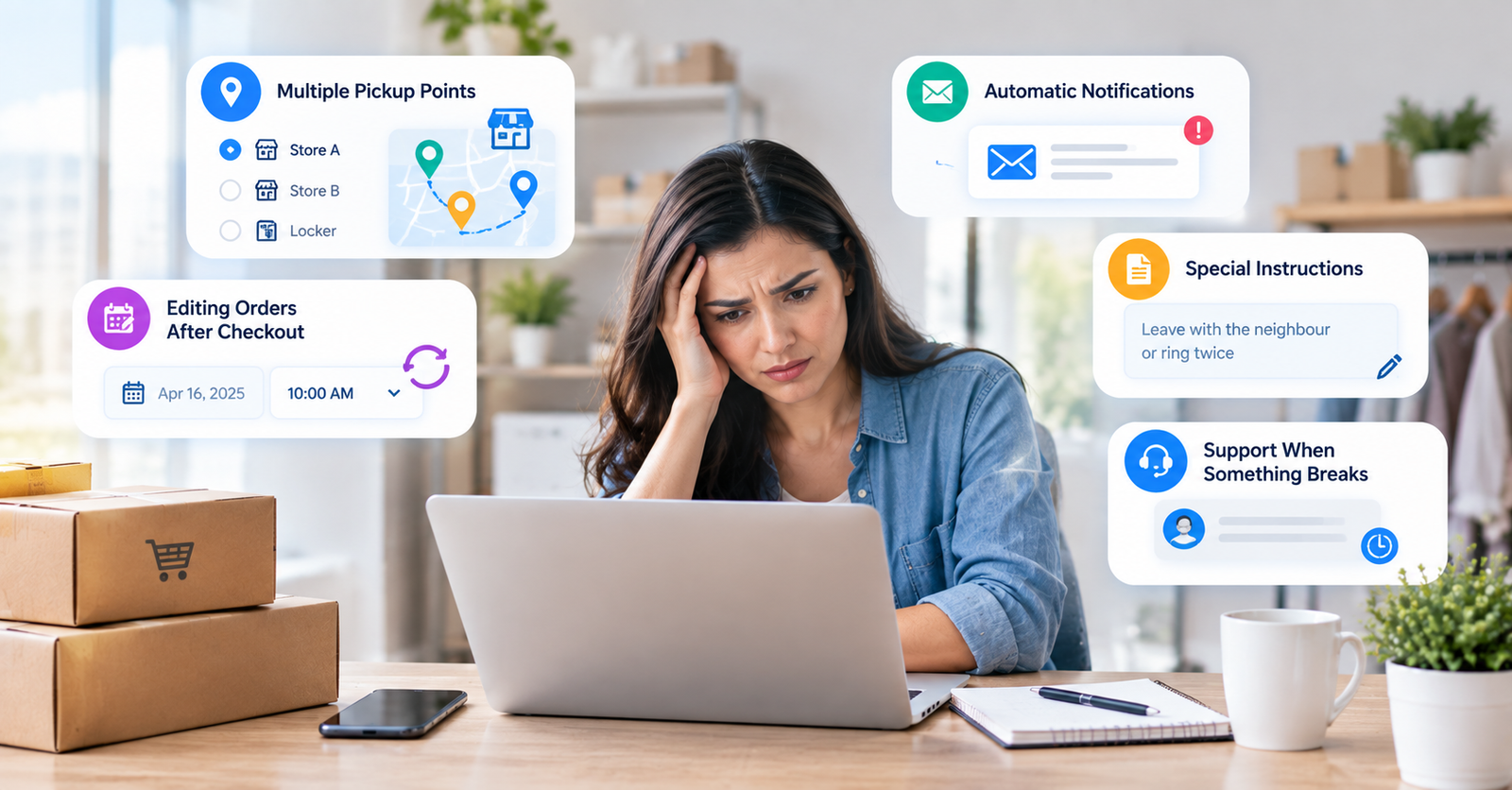
Growth exposes gaps. These are the situations where free versions most often fall short:
- Multiple pickup points: If customers can collect from more than one store or locker, you need to manage each location separately, and basic plugins rarely handle this.
- Editing orders after checkout: When a customer calls to move their delivery, you want to change the date from the order page, not delete and recreate the order.
- Automatic notifications: Without an email when the schedule changes, your team ends up writing manual updates.
- Special instructions: Notes like “leave with the neighbour” or “ring twice” reduce failed deliveries, but they’re often missing from free tools.
- Support when something breaks: Free support can be slow, which hurts most during a busy sale week.
If two or more of those sound familiar, you’ve probably already outgrown the free tier.
When a Free WooCommerce Delivery Time Scheduler Is Enough
You can happily stay free if the following describes you:
- You ship fewer than a few dozen orders a week and rarely need to change a schedule.
- You deliver from one location and don’t offer in-store pickup.
- You’re comfortable handling the odd schedule change by email or phone.
You’re still validating your business and want to keep costs near zero.
How to Choose a WooCommerce Delivery Time Scheduler
Before you decide, try the three-order test. Over one week, count how many orders you had to fix by hand because of a scheduling issue: a changed date, a wrong slot, a missing note. If it’s three or more, the time you lose is already worth more than a paid plan.
Next, read the setup guide in the Documentations to see whether a plugin matches your workflow before you install it. If you want a deeper look at how scheduling behaves on a real store, this article on the WooCommerce delivery date and time scheduler walks through it in detail. More guides like this live on the Blog.
Finally, test the support. Send a pre-sales question and see how fast and how clearly you get an answer. The Support team can help if you’re stuck choosing, and the way a team responds before you pay is a good preview of how it will respond afterwards.
Final Thoughts
A free WooCommerce Delivery Time Scheduler is a smart place to start, and for small, single-location shops it may be all you ever need. But if your orders are growing, your pickup options are expanding, or your inbox is full of schedule changes, the free tier will start to cost you more than it saves. Run the three-order test, be honest about your workflow, and choose the plugin that lets your checkout, and your Fridays, run smoothly.
Q. What is a WooCommerce Delivery Time Scheduler?
It’s a plugin that lets customers choose a delivery date and time (and sometimes a pickup location) during checkout, then saves that choice to the order.
Q. Which stores benefit most from a WooCommerce Delivery Time Scheduler?
Stores selling perishable or time-sensitive items, such as food, flowers, and gifts, along with local retailers offering click-and-collect.
Q. Why do some stores pay for a WooCommerce Delivery Time Scheduler when free ones exist?
Paid versions usually add multiple pickup locations, order-page editing, automatic email updates, and faster support. These save time once order volume grows.
Q. When should I upgrade from a free WooCommerce Delivery Time Scheduler?
Upgrade when you’re regularly fixing schedules by hand, adding a second pickup point, or losing orders to delivery confusion.
Q. Where do I set up a WooCommerce Delivery Time Scheduler?
After installing the plugin, the settings usually sit under the WooCommerce menu in your dashboard, and the date and time fields appear on the checkout page.
Q. How much does a WooCommerce Delivery Time Scheduler cost?
Free options cost nothing, while premium versions are typically a yearly licence. Compare the price against the hours you currently spend on manual fixes.
