 15 Days Money-back Guarantee
 Smile Safe & Secure online payment
 Dedicated Support
Online shoppers no longer just want fast checkout — they want control over when their order arrives. That shift is why choosing the right best delivery pickup plugin has become one of the most important decisions a store owner makes in 2026. A well-built best delivery pickup plugin doesn’t just add a date field to checkout; it reshapes fulfillment, from the moment an order is placed to the moment it’s collected or delivered.
If you run a store on WooCommerce, you know how flexible the platform is with the right extensions. But not every delivery pickup plugin is built the same, and the wrong one quietly costs you in missed orders and manual scheduling. This guide breaks down what to look for so you choose a best delivery pickup plugin that fits how your business actually operates.
Why a Best Delivery Pickup Plugin Matters in 2026
Customer patience for vague delivery windows has all but disappeared. People compare your store to marketplaces with exact delivery slots, and if checkout doesn’t offer the same clarity, you risk losing the sale before it’s placed. A modern delivery pickup plugin closes that gap by letting shoppers pick a date and time that works for them, right at checkout.
Beyond the customer-facing benefit, a good delivery pickup plugin protects your operations too. It prevents overbooking on busy days, keeps staff from being blindsided by last-minute rush orders, and gives you a clear picture of what needs to go out and when. It becomes a scheduling backbone for your store, not just a checkout widget.
Key Features That Make a WordPress Pickup Time Plugin Worth Using
Before you install anything, know what separates a basic date-picker from a genuinely best delivery pickup plugin:
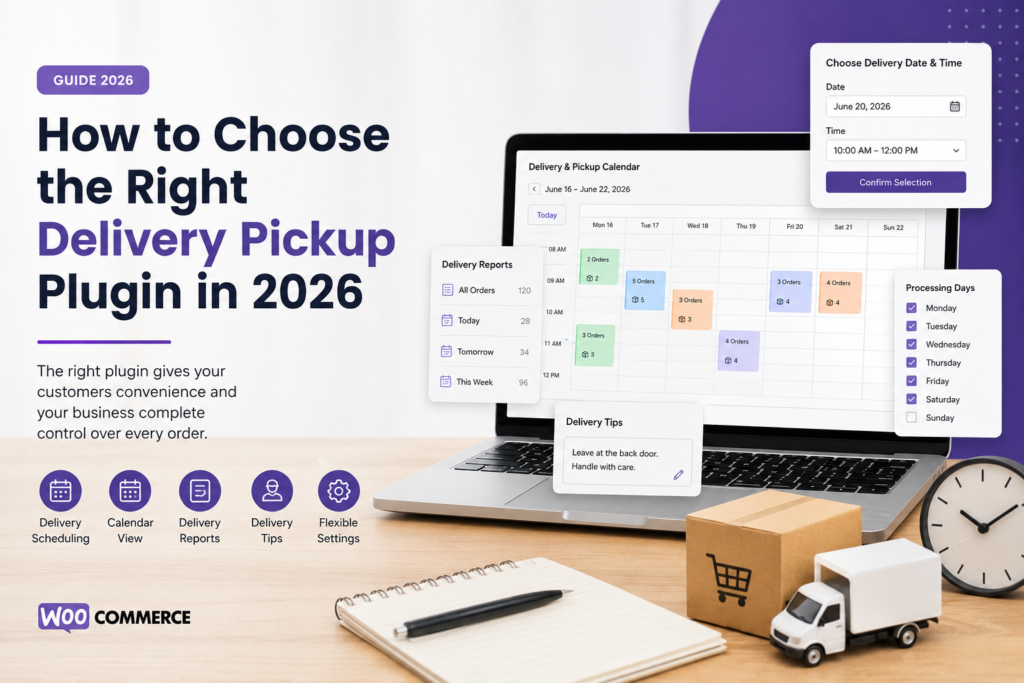
- Delivery Reports with sorting — Orders should be automatically sorted by delivery or pickup date and time inside your Delivery Reports, so you never have to dig through your order list manually.
- Delivery Reports with filtering — You should be able to filter orders by delivery or pickup date and time, making it easy to plan a specific day or shift in seconds.
- Calendar view with quantities — A best delivery pickup plugin lets you view product quantities alongside delivery and pickup details directly in a calendar, so you can spot demand spikes before they become a problem.
- Flexible date and time formats — Look for support for multiple date and time formats, including the option to display the weekday name, so the checkout matches how your customers naturally read dates.
- Delivery tips for staff — The ability to add delivery tips for delivery personnel helps your drivers handle special instructions, gate codes, or fragile items without extra phone calls.
- Weekday-wise processing rules — Weekday-wise processing days based on the selected method (delivery or pickup) let you block out days you can’t fulfil, such as Sundays or public holidays, automatically.
These features aren’t just nice extras — they’re the difference between a plugin you configure once and forget, and one you’re constantly fighting with.
What to Consider Before You Commit
Picking a best delivery pickup plugin isn’t only about features on a list — it’s about fit. Before making a final choice, walk through these points:
- Check that it integrates cleanly with your existing WooCommerce shipping and tax settings.
- Look at how it handles high order volumes; a laggy calendar or slow report defeats the purpose.
- Confirm it offers clear, searchable documentation for setup and future reference.
- Ask whether delivery and pickup are handled as separate methods with independent rules.
- Consider ongoing support and update frequency, since WooCommerce itself updates often.
A few extra minutes weighing these factors upfront saves a lot of frustration once the plugin is live.
Calendar View: See Everything Your Best Delivery Pickup Plugin Tracks
A calendar view is becoming non-negotiable for any serious delivery pickup plugin. Instead of scrolling a long order list, you get a visual snapshot of your day, week, or month, with product quantities tied to each slot — especially useful for perishable goods or high-demand items during peak seasons.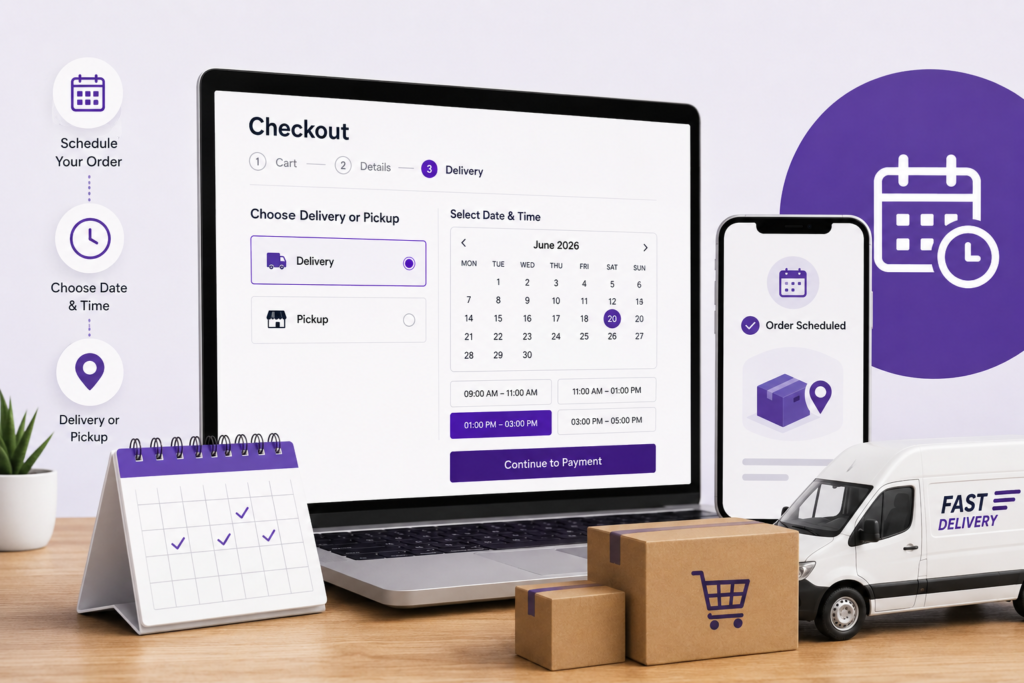
Date, Time, and Weekday Flexibility
Every store has its own rhythm, and your best delivery pickup plugin should adapt to it. Support for multiple date and time formats — with the option to show the weekday name — makes checkout feel natural for your audience. Add weekday-wise processing days, and customers can’t book a slot on days your business can’t fulfil. This breakdown on the WordPress delivery pickup plugin covers real configuration examples.
Don’t Forget the Human Side: Delivery Tips
It’s easy to focus purely on dates and calendars, but small details matter too. The option to add delivery tips for delivery personnel gives drivers or staff context — like “leave at the back door” — without a separate communication channel. Simple, but it noticeably reduces failed or delayed deliveries.
For pickup-only scheduling, see the WordPress pickup time plugin guide. For delivery-only workflows, see the WordPress delivery date plugin guide.
Making the Final Decision
By now, you’ve likely narrowed down what a strong best delivery pickup plugin should offer: sortable Delivery Reports, a calendar view with quantity tracking, flexible date and time formats, delivery tips, and weekday-based processing rules.
If you’d like to explore a best delivery pickup plugin built around these exact capabilities, take a look at our full lineup of Plugins. Once you’ve picked one, the Documentations page is a good next stop for setup instructions, and our Support team is available if anything comes up along the way.
For more guides like this one, our Blog regularly covers WooCommerce scheduling, checkout optimization, and store management topics worth bookmarking.
Q. What is a delivery pickup plugin?
A WooCommerce extension that lets customers choose a specific delivery or pickup date and time at checkout, while giving store owners tools to manage those scheduled orders.
Q. Why do I need a delivery pickup plugin for my WooCommerce store?
Without one, you’re relying on manual coordination through emails or calls, which slows fulfillment and increases the chance of missed or double-booked slots.
Q. How does a delivery pickup plugin handle busy days?
Most use weekday-wise processing rules and calendar views to cap how many orders can be scheduled per slot, preventing overbooking during peak periods.
Q. Which features should I prioritize when comparing options?
Sortable and filterable Delivery Reports, a calendar view with product quantities, flexible date and time formats, and delivery tips for staff.
Q. When is the best time to install a delivery pickup plugin?
Before a seasonal rush or major sale, so you have time to test configuration and processing rules under normal order volume first.
Q. Who benefits most from using a delivery pickup plugin?
Bakeries, florists, grocery stores, and any WooCommerce store where the exact delivery or pickup time genuinely matters to the customer.
Want to see it running on a live store? Explore the plugin here or check the documentation to get started.
