 15 Days Money-back Guarantee
 Smile Safe & Secure online payment
 Dedicated Support
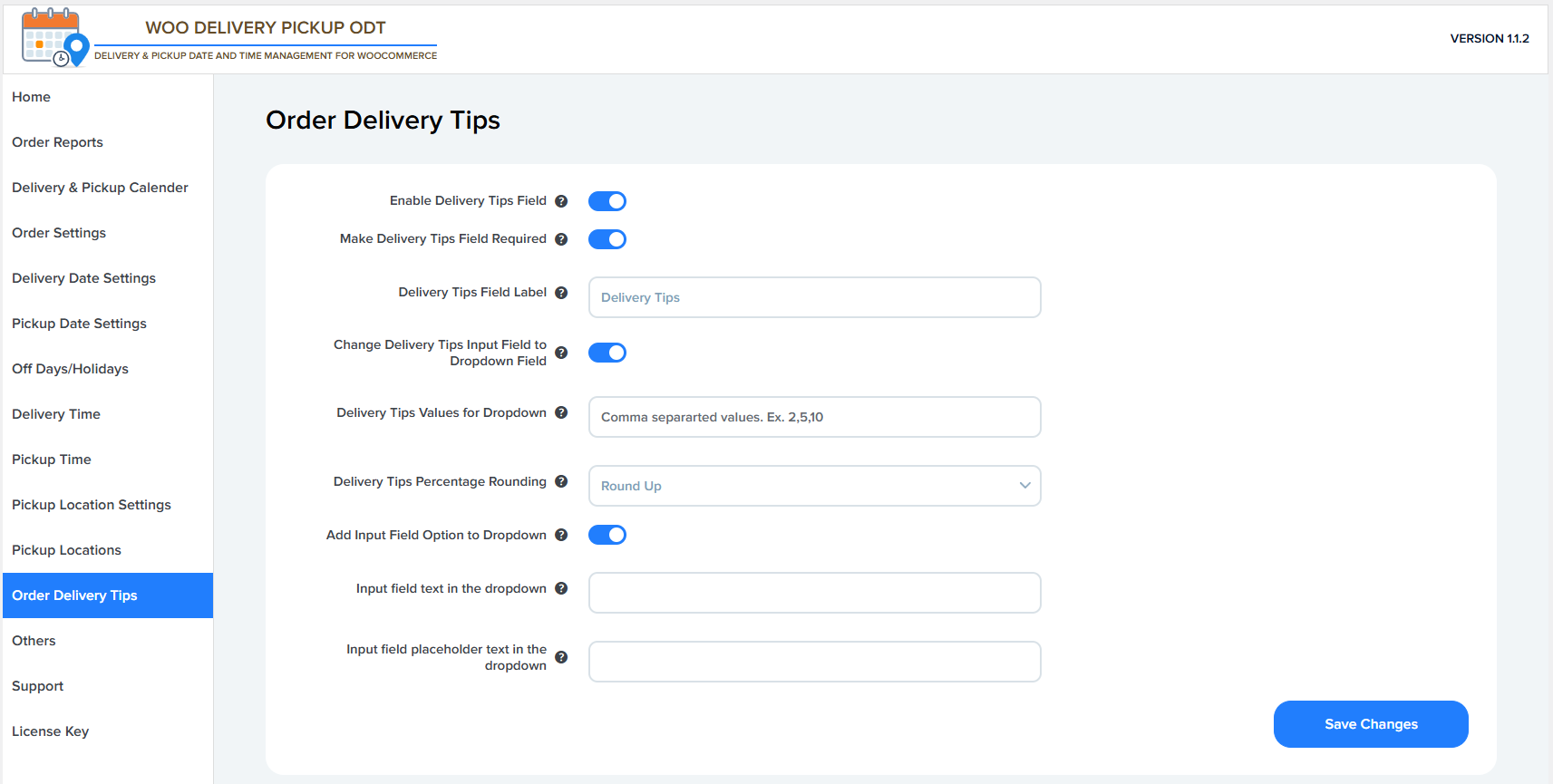
Enable Delivery Tips Field
- Turns the Delivery Tips option ON or OFF at checkout.
- If disabled, customers won’t see any delivery tip option.
Make Delivery Tips Field Required
- Makes the delivery tips selection mandatory.
- Customers must choose or enter a tip amount to place the order.
Delivery Tips Field Label
- The text label shown to customers at checkout.
- Example: Delivery Tips, Tip for Driver, Support Our Delivery Team, etc.
Change Delivery Tips Input Field to Dropdown Field
- Converts the input from a manual text field to a dropdown list.
- Helps standardize tip values and reduce errors.
Delivery Tips Values for Dropdown
- Defines the preset tip amounts shown in the dropdown.
- Values are usually comma-separated.
- Example: 2.5, 5, 10
Delivery Tips Percentage Rounding
- Controls how percentage-based tips are rounded.
- Options may include:
- No Rounding
- Round Up
- Round Down
- Useful when tips are calculated as a percentage of order total.
Add Input Field Option to Dropdown
- Adds a special dropdown option like “Custom Amount”.
- Allows customers to enter their own tip value instead of preset ones.
Input Field Text in the Dropdown
- The label text for the custom input option inside the dropdown.
- Example: Custom Amount, Other Amount, Enter Your Tip
Input Field Placeholder Text in the Dropdown
- Placeholder text shown inside the custom amount input field.
- Example: Insert custom value, Enter tip amount