 15 Days Money-back Guarantee
 Smile Safe & Secure online payment
 Dedicated Support

Order Delivery & Pickup Location Date Time
However, to fulfill the order, you may require…
- Version : 1.1.0
- Last Updated : 06.01.2026

Time required to prepare an order
Not all products are identical. Occasionally, additional preparation time is necessary before shipping can occur.
Maximize cost-effectiveness of shipping
Ensure timely delivery
Organize Local Deliveries & Pickups within WooCommerce’s Schedule
With Order Delivery & Pickup Location Date Time, you can establish various delivery schedules, apply charges for weekdays and special dates, organize local pickup dates, and notify customers when their orders are ready.
Provide your customers with special treatment and encourage loyalty – 83% appreciate it!

Sometimes, it’s best to discover and experience things for yourself.
An innovative delivery scheduling plugin designed for retail stores.
Delivery & Pickup Location Date Time for WooCommerce features can help you provide speedy service and quick order fulfillment
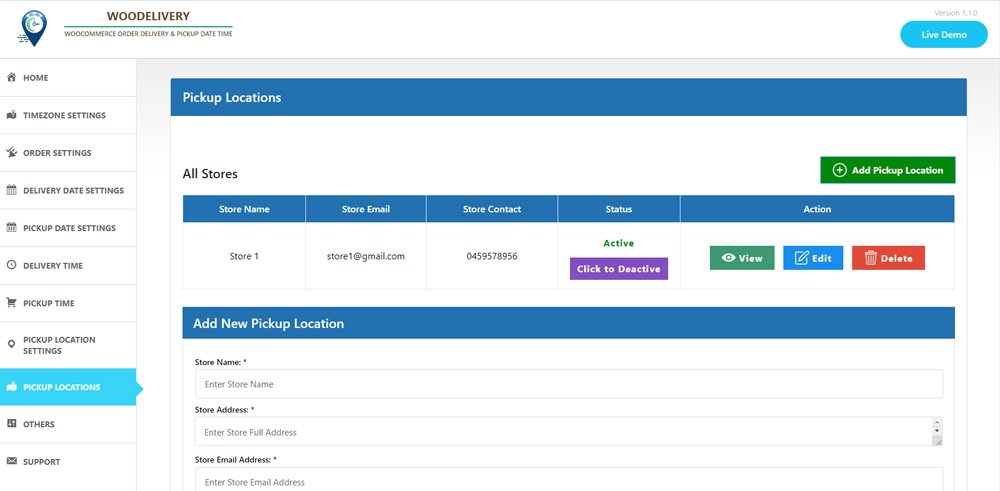
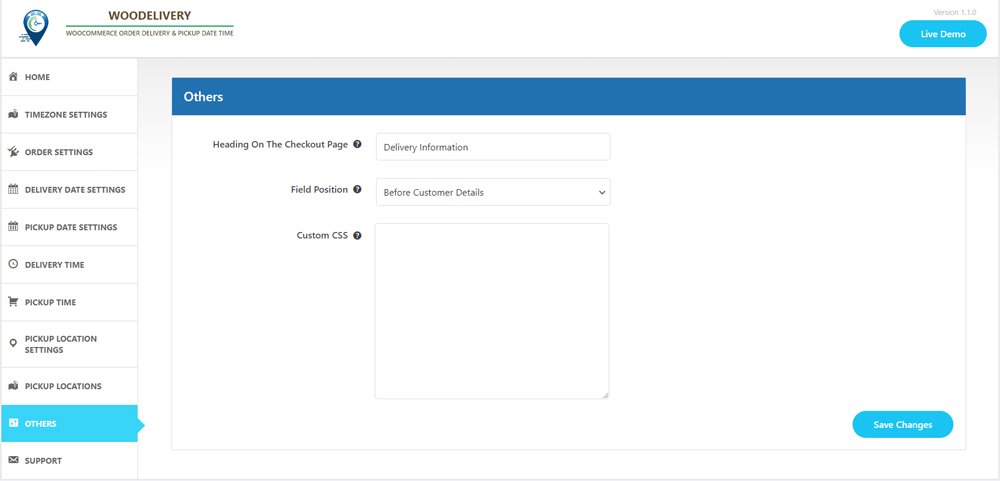
Enable customers to choose their desired pickup/delivery date and time.
Schedule and manage deliveries according to customer
- Customers have the option to choose between pickup and delivery on checkout page.
- Customers have the option to choose date and time.
Methods of shipment
Certain online stores need their delivery schedules to align with specific shipping methods.
- Select one or multiple shipping methods
- Incorporate delivery date and time settings for shipping methods. Additionally, you can include extra charges if necessary.
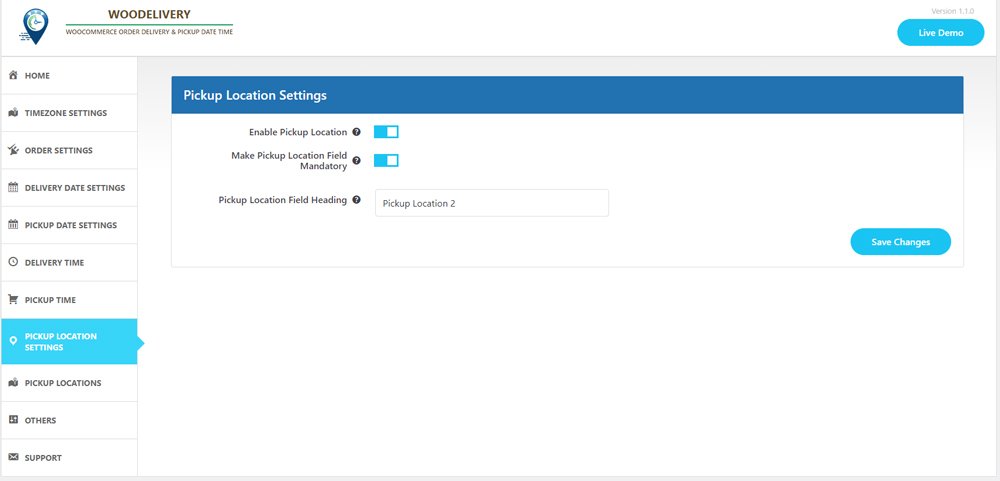
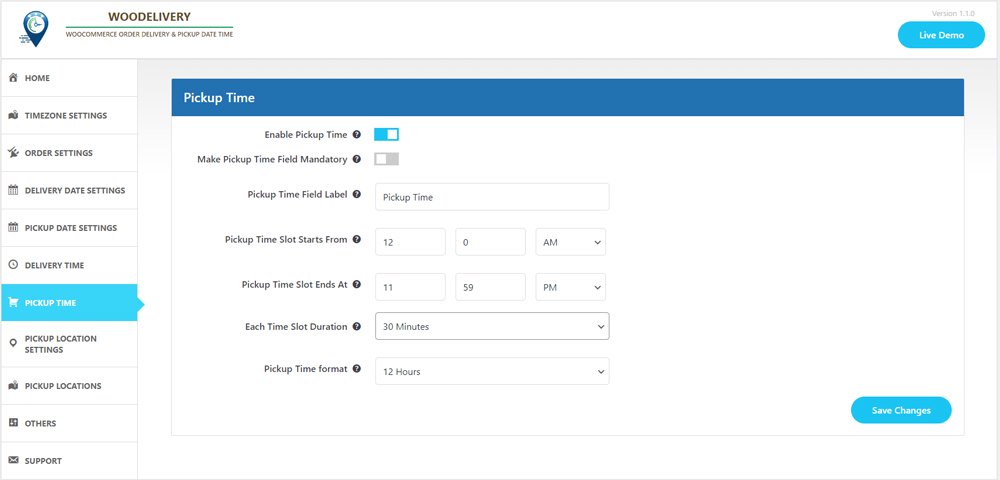
Pickup Location
If you’re providing pickup services for your products, this option is tailored for you.
- Choose the product and select your desired pickup location.
- Add Multiple pickup location, address, phone number and email
- The date and time slot may vary based on the location chosen by the customer.
Express delivery options for same day and next day service
- Establish delivery fees for same-day and next-day delivery services.
- Delivery fees may vary depending on the time.
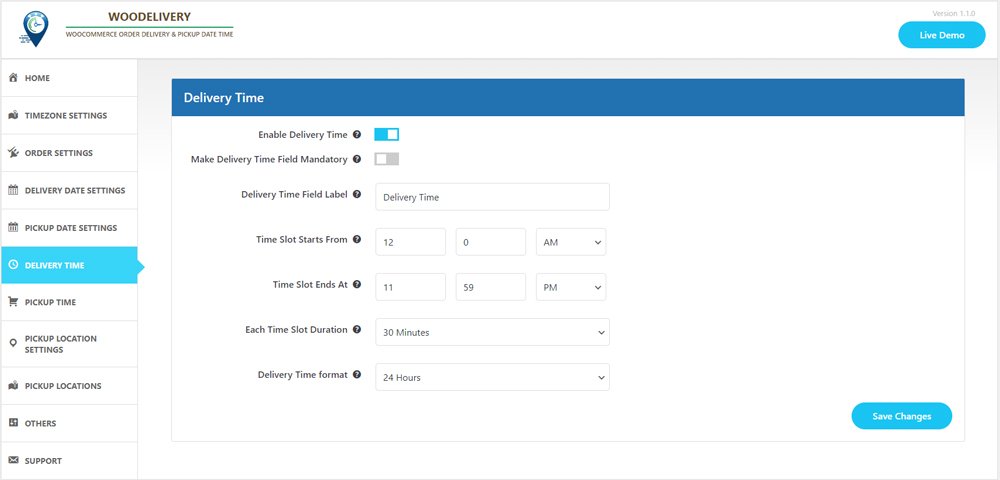
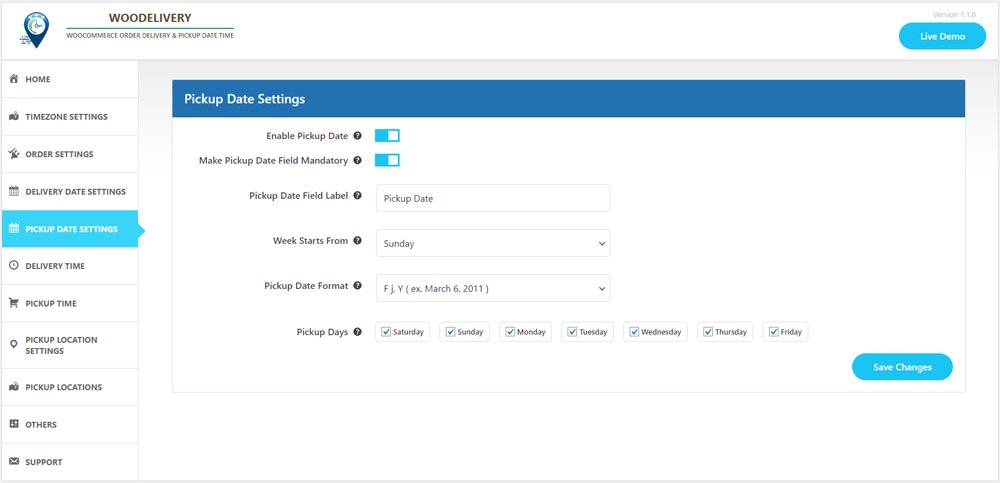
Minimum required delivery time
Store owners may need a certain amount of preparation time before their products are ready for delivery to customers.
- Set the minimum delivery time
- You can oversee the start time and end time for each day of the week, from Monday to Sunday.
Compatible with the WooCommerce Checkout block feature
- Accessible within the “Shipping Address” block
- Pickup location, delivery date, and time slot fields will appear accordingly.
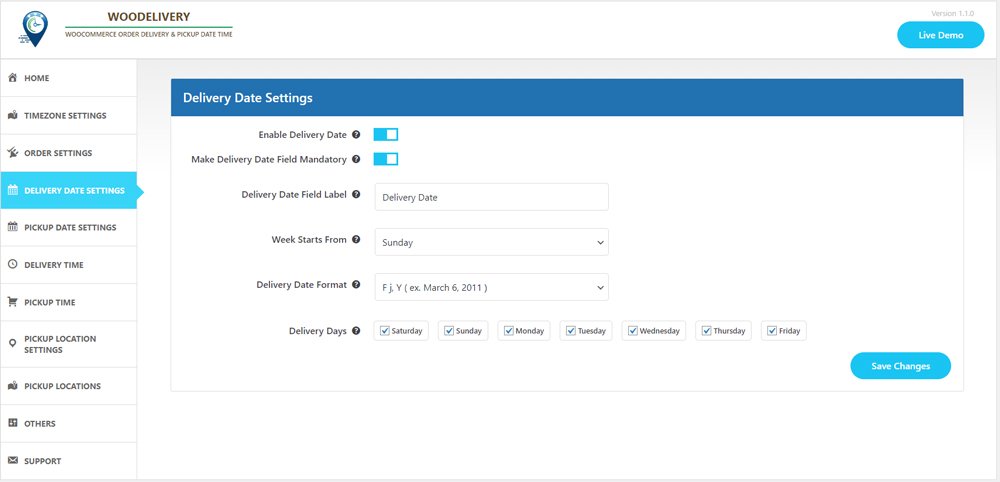
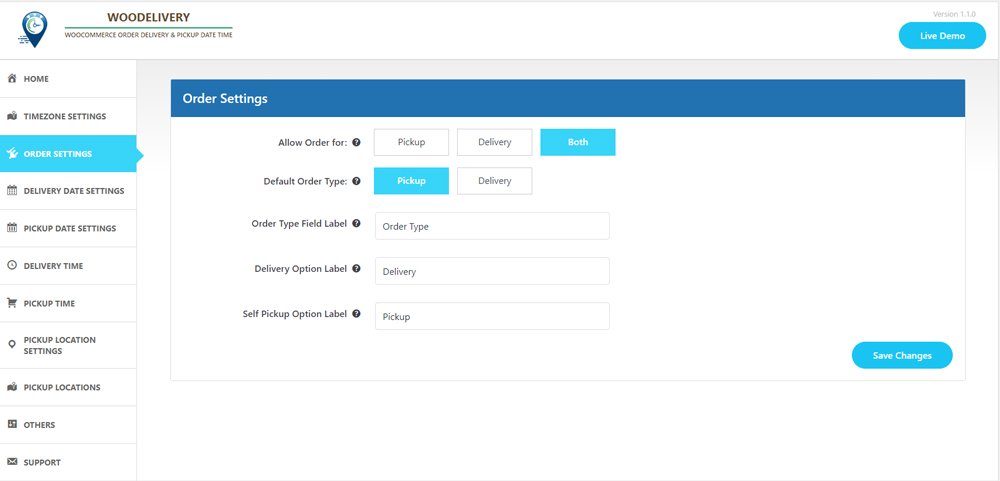
Determine the delivery type before selecting the date.
Allow your customers to effortlessly choose between Pickup or Delivery options before entering their address or selecting the delivery date.
- Offer pertinent delivery dates based on the user’s selected delivery type preference.
- Ensure a seamless customer experience when they choose delivery dates.
Delivery/Pickups time slot interval
- Customers can choose between time slot intervals of 30 minutes or 60 minutes.
- You can configure the start time and end time for each day of the week, from Monday to Sunday.
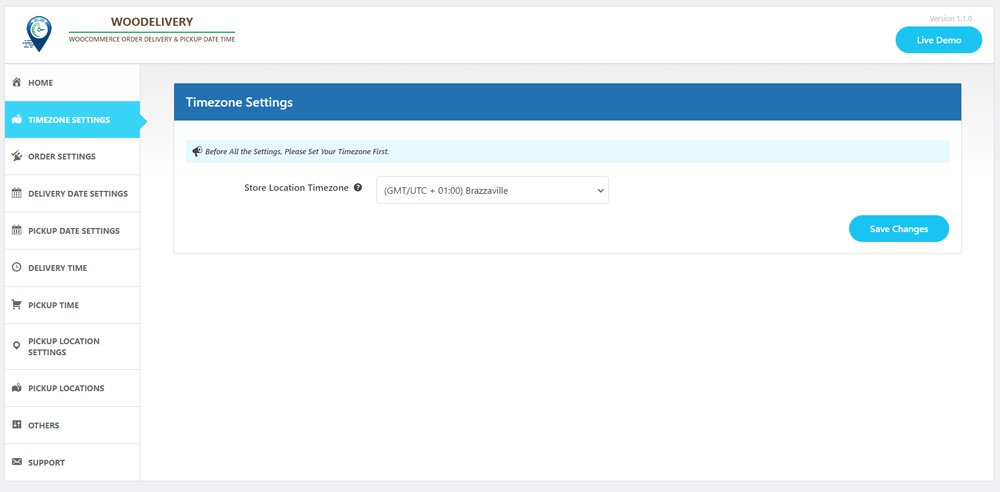
Hold on, the list isn’t complete yet
- Issue reminders prior to deliveries.
- Establish a store-wide order limit for custom delivery schedules.
- Apply charges exclusively to orders that fall below a certain amount.
- Deactivate the weekdays on which product deliveries are not available.
- Make the delivery time field either mandatory or optional on the checkout page.
- Customize the labels for the delivery date and time fields according to your business needs.
- You have the option to include additional charges for specific time slots on each day of the week.
It’s not just about the plugin; it’s about the overall experience we deliver

10,000+ customers trust us

Outstanding customer support

Regular Product Updates

Exceptional code quality

We value customer feedback
Plugin Screenshot
No Result Found!
The carousel you requested could not be found. Try changing your module settings or add some new slides.
Testimonial
No Result Found!
The carousel you requested could not be found. Try changing your module settings or add some new slides.
FAQ
Vestibulum rhoncus volutpat nisl eu finibus
Nam sodales lectus mauris
Praesent eget commodo massa
Mauris sit amet risus tellus
Morbi quis purus ut erat placerat ullamcorper nec et turpis
Latest Articles
From Checkout to Delivery: The Power of a WooCommerce Plugin
Running an online store is about more than just getting a customer to click "Buy Now." What happens after checkout — how an order is scheduled, packed, and delivered — often decides whether a customer comes back. This is exactly where a well-built WooCommerce plugin...
WordPress Delivery Time Plugin: Simplifying Delivery and Pickup
Running an online store means juggling a hundred moving parts, and one of the trickiest is getting orders to customers exactly when they expect them. That's where a WordPress Delivery Time Plugin earns its keep. Instead of manually tracking who wants their order...

Best Delivery Date Plugin: Turn Delivery Scheduling Into a Better Experience
If you run a WooCommerce store, you already know that "when will my order arrive" is one of the most common questions customers ask. A missed delivery window, a confused pickup time, or an order that shows up on the wrong day can quietly chip away at customer trust —...
Support Notes
WooCommerce must be active for any plugin functionality to load; without it, only an admin notice is shown. The plugin does not use Composer or any bundled third-party libraries. HPOS (Custom Order Tables) compatibility is declared explicitly, so the plugin works with...
Uninstalling
Deactivating the plugin leaves its settings in place. Deleting it through Plugins → Installed Plugins runs the plugin's uninstall routine, which removes its stored options from the database.
Buy Now Shortcode
Use the shortcode to place a standalone “Buy Now” button for a specific product anywhere shortcodes are supported: [arch_buy_now product_id="123"] [arch_buy_now product_id="123" show_price="yes"] Attribute Required Description product_id Yes WooCommerce product ID....
Per-Product Bundle Pricing Override
Open any Simple or Variable product for editing and select the “Bundle Pricing” tab in the Product Data panel: “Use global settings” is checked by default — the product follows the store-wide tiers configured in Admin Dashboard → Flycart. Uncheck it to reveal a tier...
Settings — Flycart Menu
All plugin options live under Settings → Flycart in the WordPress admin. The screen is organized into the following groups: General Cart title (default: “Your Cart”) Checkout button text (default: “Secure Checkout”) Drawer position: left or right Enable/disable AJAX...
Installation
Upload the arch-side-cart folder to /wp-content/plugins/, or install the plugin ZIP via Plugins → Add New → Upload Plugin. Activate the plugin from the Plugins menu in WordPress. Make sure WooCommerce is installed and active — the plugin checks for this on load and...

WooCommerce Delivery Date and Time Scheduler: A Smarter Way to Manage Orders
Running an online store means juggling dozens of moving parts, and order fulfillment is often the trickiest. A WooCommerce Delivery Date and Time Scheduler takes the guesswork out of scheduling by letting customers pick exactly when they want their order delivered or...
Money Back Guarantee
- Mauris sit amet risus tellus
- Sed commodo varius mi
- Morbi quis quam ut ligula fringilla
