 15 Days Money-back Guarantee
 Smile Safe & Secure online payment
 Dedicated Support
If you run a WooCommerce store that ships products, handles local pickups, or manages same-day deliveries, “when” matters just as much as “what.” A customer might love your product, but if they can’t tell you exactly when they want it delivered or picked up, your fulfillment team ends up guessing — and guessing leads to missed slots and extra phone calls. This is exactly where delivery & pickup date time for WooCommerce scheduling steps in, turning a vague order into a precise, trackable commitment from checkout to the doorstep or counter.
Why Delivery & Pickup Date Time for WooCommerce Matters at Checkout
Checkout is the first — and often the only — moment you get to ask a customer when they want their order. If you skip this step, you’re left reacting to whatever the customer assumes, rather than planning around what your business can actually handle.
Letting shoppers pick their delivery or pickup date and time directly at checkout does a few things at once:
- It removes back-and-forth emails or calls just to confirm timing.
- It sets realistic expectations for both the customer and the store.
- It gives your operations team a structured queue instead of a pile of guesswork.
- It reduces missed pickups, since customers commit to a slot in advance.
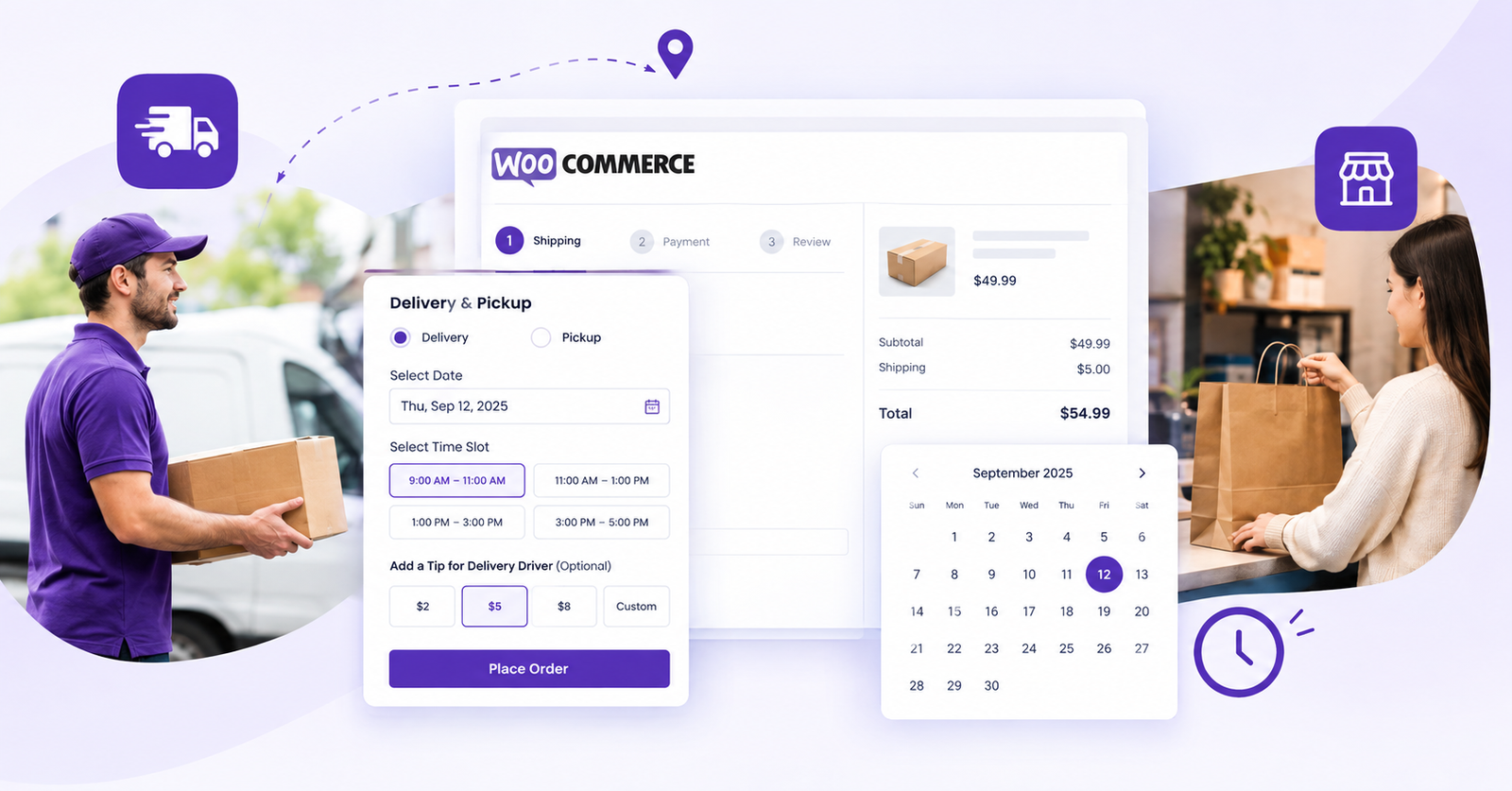
For growing WooCommerce stores, this single feature at checkout often becomes the difference between a smooth fulfillment day and a chaotic one.
From Checkout to Fulfillment: Where Scheduling Data Goes to Work
Collecting a date and time is only step one. What happens after checkout is where a well-built delivery & pickup date time for WooCommerce setup really proves its value — through reporting, planning, and day-to-day order management.
Smarter Delivery Reports
Once orders start coming in with scheduled dates and times attached, your team needs a way to actually use that data instead of scrolling through order after order. That’s handled through:
- Orders being sorted by delivery or pickup date and time in Delivery Reports, so the earliest commitments always surface first.
- Orders being filtered by delivery or pickup date and time in Delivery Reports, letting staff quickly isolate today’s deliveries, tomorrow’s pickups, or a specific week.
This turns a flat order list into an operational tool — something a warehouse or front-counter staff member can glance at and immediately know what’s due and when.
Calendar View for Product Quantities and Delivery Details
Numbers on a spreadsheet only tell part of the story. A calendar view lets store owners and staff view product quantities and delivery/pickup details at a glance, day by day — useful for bakeries planning ingredient needs around order-heavy days, pickup stores tracking hourly arrivals, or any business trying to avoid overbooking a single slot.
Flexible Date and Time Formats
Not every store — or every customer — reads dates the same way. Supporting multiple date and time formats, along with an option to display the weekday name, makes the scheduling experience feel native rather than foreign, whether your customers are used to MM/DD/YYYY or DD/MM/YYYY, or simply want to see “Thursday” instead of just a date.
Delivery Tips for Drivers
Delivery isn’t just about the “when” — it’s also about the “how.” Adding an option for delivery tips for delivery personnel gives customers a simple way to reward good service without needing a separate app or a cash exchange at the door.
Building Realistic Processing Windows
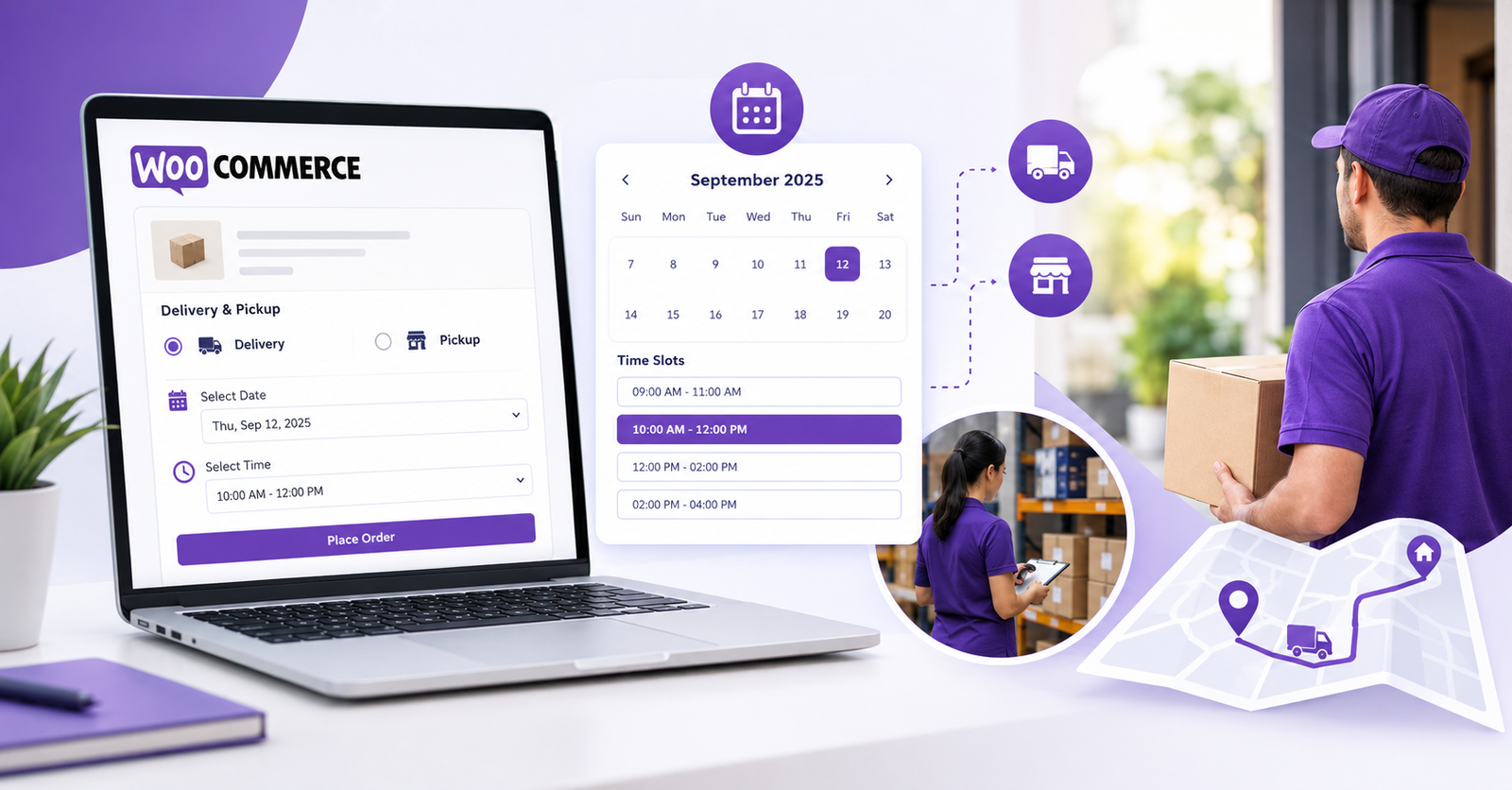
A common mistake stores make is assuming every day works the same way for fulfillment. In reality, staffing, supply runs, and demand shift by day of the week. That’s why weekday-wise processing days based on the selected method, along with weekday-wise processing time based on the selected method, matter so much. A bakery might need two processing days for weekend orders but same-day turnaround midweek, while a pickup counter might close earlier on Sundays. Building these rules into your delivery & pickup date time for WooCommerce configuration means checkout automatically reflects what’s actually possible.
Full Control Over Time Slots
Perhaps the most important piece of the entire system is time-slot management. Fully customizable time slots, with advanced controls such as time-slot fees, disabling slots by time, weekday, or current day, give store owners the flexibility to:
- Charge a premium for rush or peak-hour slots.
- Block out slots that are already fully booked.
- Prevent same-day orders when there isn’t enough lead time.
- Close specific weekdays entirely, such as holidays or maintenance days.
This level of control means the checkout page never promises something the fulfillment team can’t deliver — which is really the whole point of scheduling in the first place.
Bringing It All Together
A store that properly implements delivery & pickup date time for WooCommerce isn’t just adding a nice-to-have widget at checkout. It’s building a bridge between what the customer expects and what the operations team can realistically fulfill — backed by sortable and filterable reports, a visual calendar, flexible formats, driver tips, weekday-based processing rules, and precise time-slot controls.
If you’re exploring how this could work for your own store, you can browse the full lineup of tools on the Plugins page, or check the step-by-step setup instructions in the Documentations section. For more comparisons and deep dives, our Blog covers related topics like choosing the best delivery pickup plugin and setting up a WordPress pickup time plugin. You can also read more on how WooCommerce itself works as an e-commerce platform to understand where scheduling fits into the bigger picture.
Got questions or need help with your setup? Head over to Support, or return to the Home page to explore everything WP Dev Studio offers. You can also read our related article on delivery and pickup date time for WooCommerce for additional tips.
Q. What is delivery & pickup date time for WooCommerce?
It’s a scheduling feature that lets customers choose a specific delivery or pickup date and time slot during checkout, so store owners can plan fulfillment around real commitments instead of guesswork.
Q. Why do WooCommerce stores need delivery and pickup scheduling?
Without scheduling, stores rely on assumptions about when customers expect their orders, which often leads to missed pickups, overbooked delivery windows, and unnecessary customer service calls.
Q. How do delivery reports help with order management?
Delivery reports let staff sort and filter orders by scheduled date and time, making it easy to see exactly what needs to go out today, tomorrow, or during any specific window.
Q. When should a store use weekday-wise processing times?
Any time fulfillment capacity changes by day — such as reduced weekend staffing or closed days — weekday-wise processing rules keep checkout options realistic and prevent overpromising.
Q. Where can customers add a tip for delivery personnel?
This is typically offered as an optional add-on during checkout, letting customers reward delivery staff directly without needing cash on hand.
Q. Who benefits most from customizable time slots?
Any business with limited delivery capacity — bakeries, florists, grocery stores, or local pickup counters — benefits from being able to charge for peak slots, block out full ones, and control same-day availability.
Want to see it running on a live store? Explore the plugin here or check the documentation to get started.
